Hello I'm
Muhammad Qasim Riaz
GIFT University
Founder of Bug Chase · Cybersecurity Researcher · CS Student
Web & Android pentesting · Offensive security · AI security tooling
I hunt high-impact flaws in production systems—from RCE and logic bypasses to IDOR and ATO—and translate findings into fixes teams can ship. Let's harden what you build.

Research & vulnerability statistics
Numbers that reflect depth in the field
Aggregated reporting across platforms and VDPs. Count-up runs when this section enters view.
Vulnerabilities reported
Across platforms & responsible disclosure programs
Critical / High findings
Confirmed high-impact issues
LinkedIn followers
Professional cybersecurity community
YouTube subscribers
Fusion Security — live count when API keys are configured
GitHub followers
mr-kasim-mehar — live count from GitHub
Combined audience
YouTube + LinkedIn reach

High-impact flaws, clear fixes, lessons the community can actually use.
Founder of Bug Chase and cybersecurity researcher at GIFT University. 1,000+ vulnerabilities reported, 20+ critical/high findings, and 18,000+ people learning offensive work through Fusion Security and LinkedIn.
- Web & Android assessments anchored in real production risk
- Offensive research: RCE, logic flaws, injection, broken access control
- Fusion Security · LinkedIn · Udemy—PoCs and case studies in the open
Core specializations
Offensive research and tooling aligned to how modern apps actually break—web, mobile, protocols, and AI-assisted workflows.
Web & Android pentesting
End-to-end assessments across modern web stacks and Android attack surfaces—from auth flows to client-side trust boundaries.
Offensive security & RCE
Deep exploitation work including sanitizer bypasses in modern frameworks (e.g., CVE-2025-55182) and chained primitives to code execution.
Logic & protocol abuse
Protocol-level issues such as HTTP/2 to HTTP/1.x downgrade paths and creative rate-limit bypasses that survive naive fixes.
Injection expertise
Stored and reflected XSS, plus blind and time-based SQL injection—prioritizing reliable, demonstrable impact.
Broken access control
IDOR, horizontal and vertical privilege issues, and account takeover scenarios with clear remediation guidance.
AI security tooling
Building and evaluating tooling where ML meets offensive workflows—automation without losing analyst judgment.
Industries & programs
High-level categories representing diverse VDP and product surfaces—without naming specific programs.
- FinTech
- E‑commerce
- SaaS
Projects & impact
Platforms, education, and hardware work that scales research beyond a single report.
- Founder
Bug Chase
Founder of a specialized bug bounty platform and security startup focused on high-signal research and researcher experience.
Learn more → - 9,000+ subscribers
Fusion Security (YouTube)
Educational channel featuring real-world proof-of-concepts, methodology, and professional bug bounty case studies.
Learn more → - 9,000+ followers
LinkedIn presence
Active engagement with the cybersecurity community—technical posts, responsible disclosure culture, and career pathways.
Learn more → - Course author
Udemy instructor
Instructor for “Real-World Bug Bounty: 21 Professional Case Studies & PoCs”—hands-on narratives from the field.
Learn more → - RF / Wi‑Fi
Hardware lab — nRF Wi‑Fi auditing
Custom nRF-based boxes for wireless security auditing and repeatable field measurements.
Learn more →
Recognition & certificates
Selected acknowledgements from national programs and industry partners for responsible disclosure and high-impact findings.
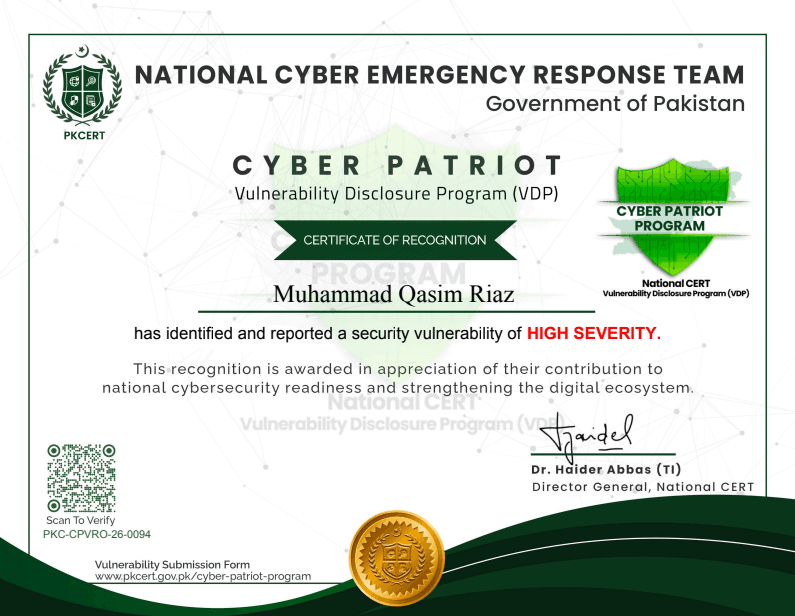
2026
PKCERT · National Cyber Emergency Response Team
Certificate of Recognition — Cyber Patriot VDP
Ref: PKC-CPVRO-26-0094
Official recognition for identifying and responsibly reporting a high-severity finding through the Cyber Patriot Vulnerability Disclosure Program—supporting national readiness and a stronger digital ecosystem.
Issuer / verify →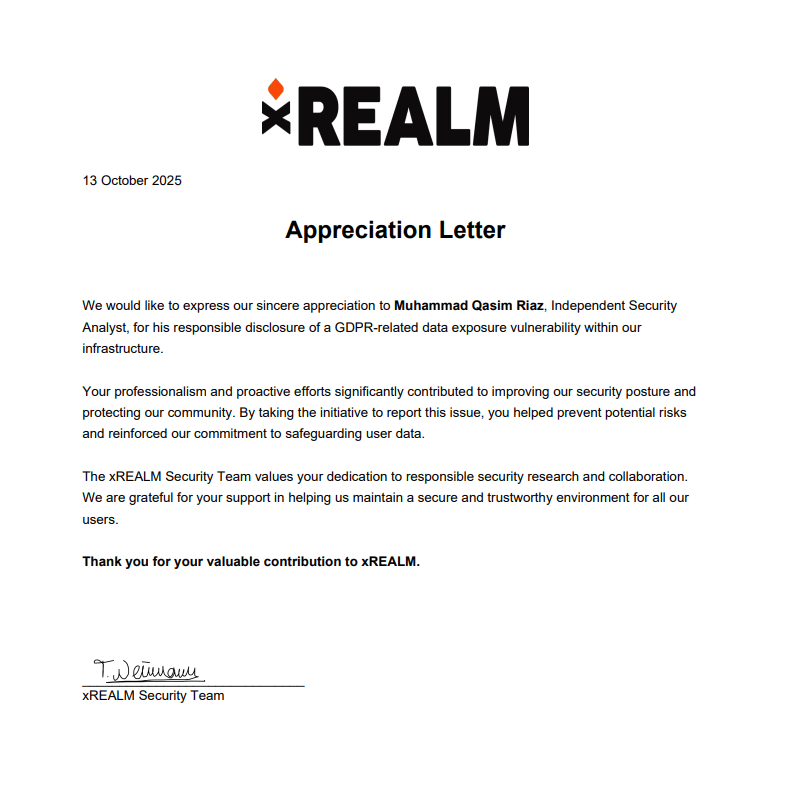
October 2025
REALM · xREALM Security Team
Appreciation Letter — xREALM
Thank-you for professional, proactive disclosure of a GDPR-related data exposure—helping REALM improve security posture, protect user data, and reinforce trust with the community.
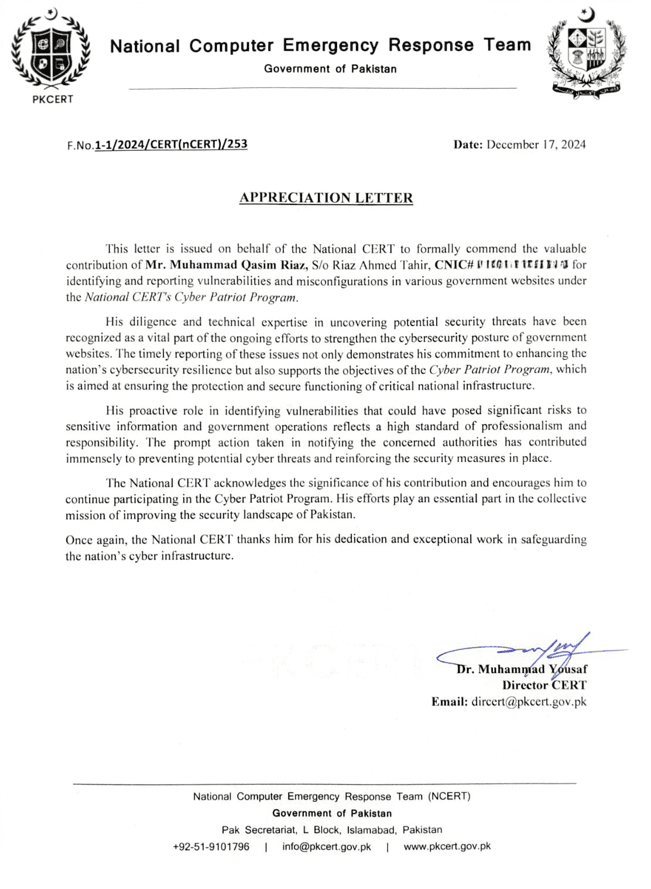
December 2024
National Computer Emergency Response Team · Government of Pakistan
Appreciation Letter — National CERT (nCERT)
Ref: F.No.1-1/2024/CERT(nCERT)/253
Formal appreciation under the Cyber Patriot Program for reporting vulnerabilities and misconfigurations in government web infrastructure—contributing to national resilience and responsible security research.
Issuer / verify →
Contact
Collaborations, advisories, and research partnerships—reach out on your preferred channel.
Fusion Security.Official on YouTube